A task app I actually use every day
A self-hosted task manager with rich drag-and-drop, recurrence, notion-style pages, and a Telegram reach-in. Built solo, in production for about a year, running on a VPS that costs less than a coffee subscription.
The shape of my week didn't fit anything off the shelf
Most of what I do is recurring — invoice on the 1st, push a backup every Sunday, follow up with a client three days after they ghost — and most of the rest is half task, half note. Linear wants tickets. Things wants atoms. Notion wants pages and forgets the deadline. I wanted one app where a recurring task can open into a nested page of notes, where the editor is the same place I triage from, and where the phone reach-in is Telegram, not yet another inbox. So I wrote it.
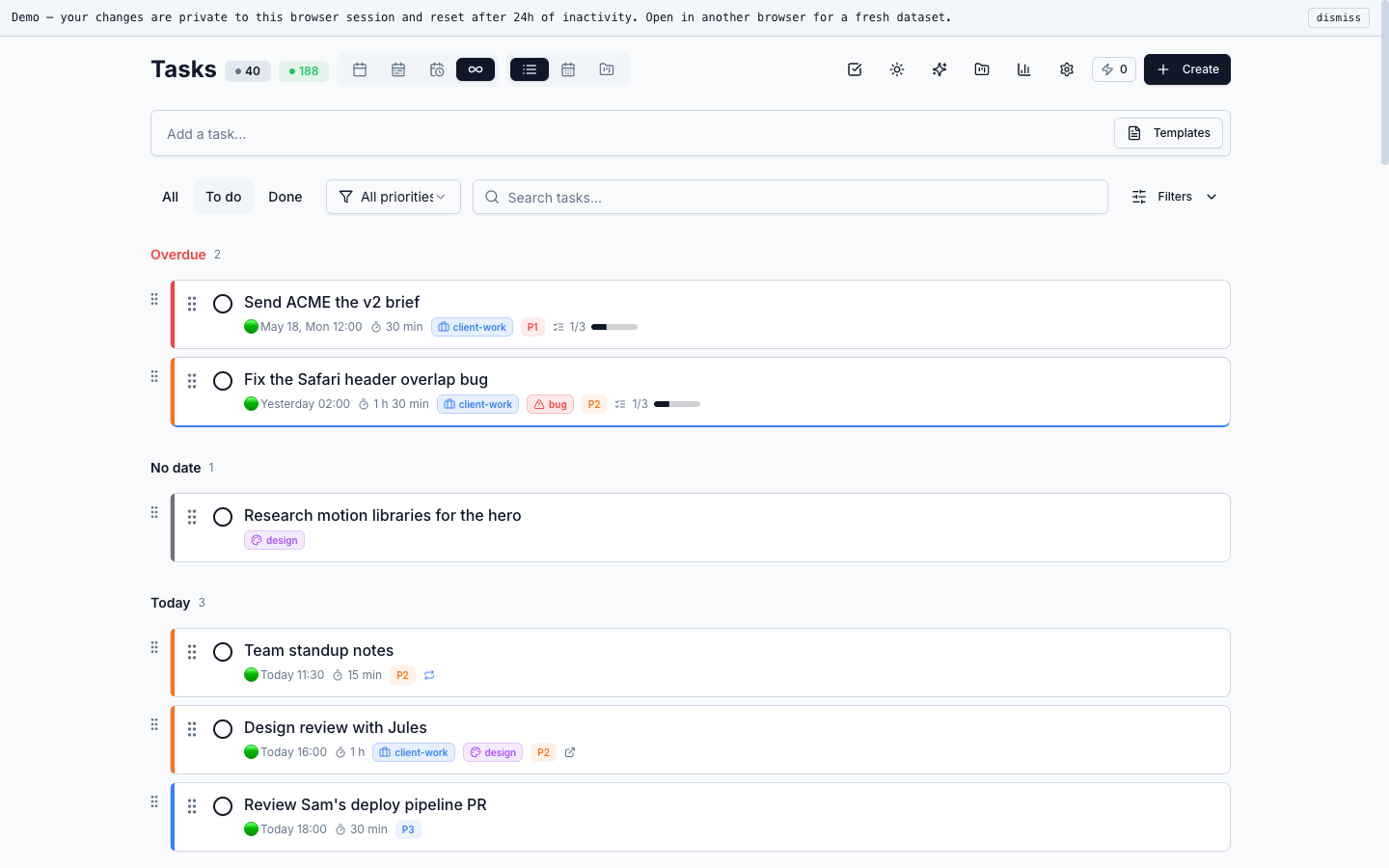
Today view with everything in one place
A dense list grouped by date — overdue, today, tomorrow, then fourteen days out without empty days padding the page. Drag handles on every row, fractional indexing under the hood so a reorder is a single column update.
Every row carries its own priority bar, tags, recurrence chip and subtask progress — same shape across views, no second layout just for the list.
Same data, kanban shape, drag between columns
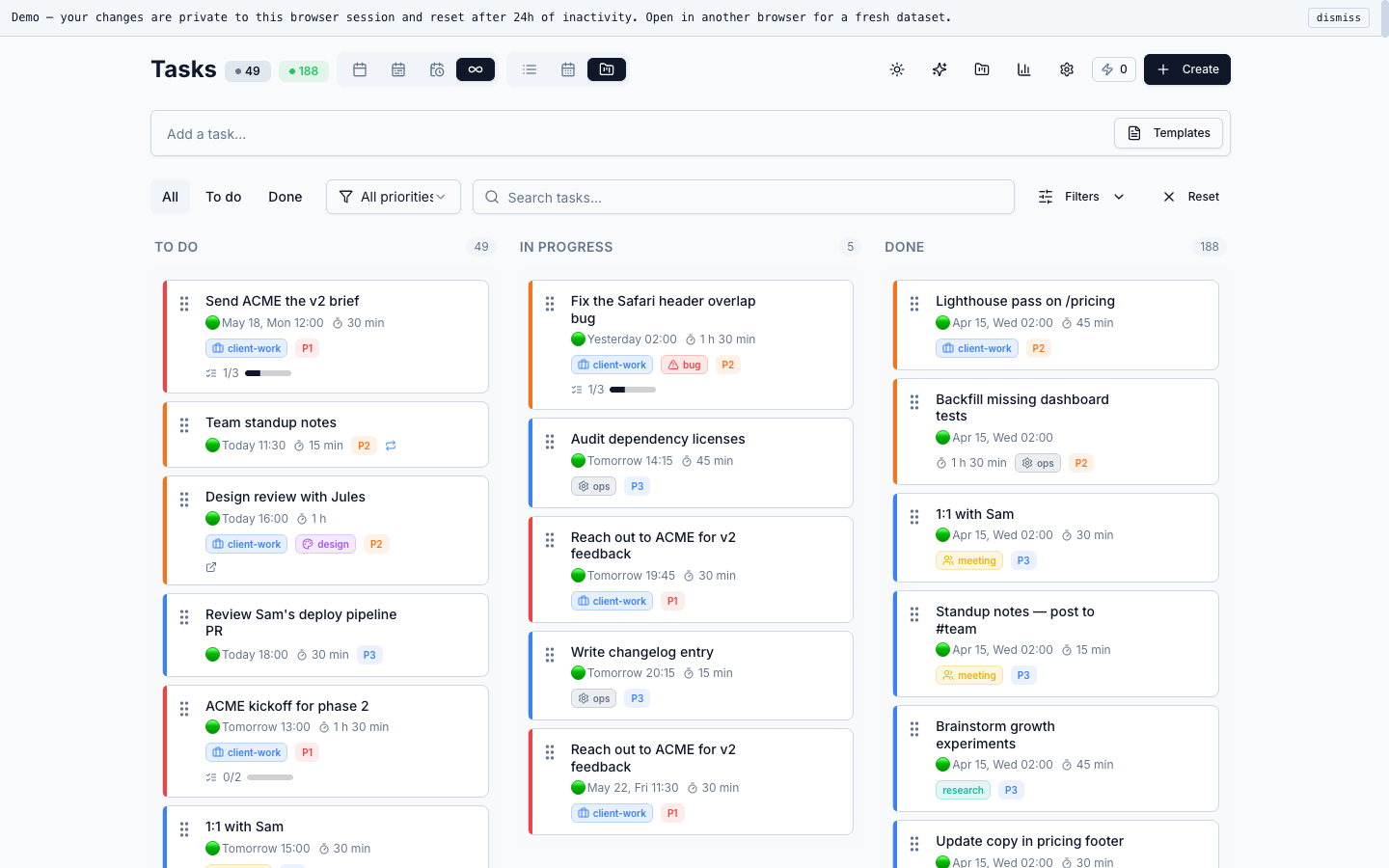
Status columns — TO DO, IN PROGRESS, DONE — with live counts in the header. Cards keep the same priority bar, tags and due chips as the list view; the only thing that changes is the layout shell.
dnd-kit handles the cross-column reorder with a custom collision strategy so cards don't jitter at a column boundary. Column counts update live as cards move.
Monthly calendar — the view that exists in “one day I’ll add” for most apps
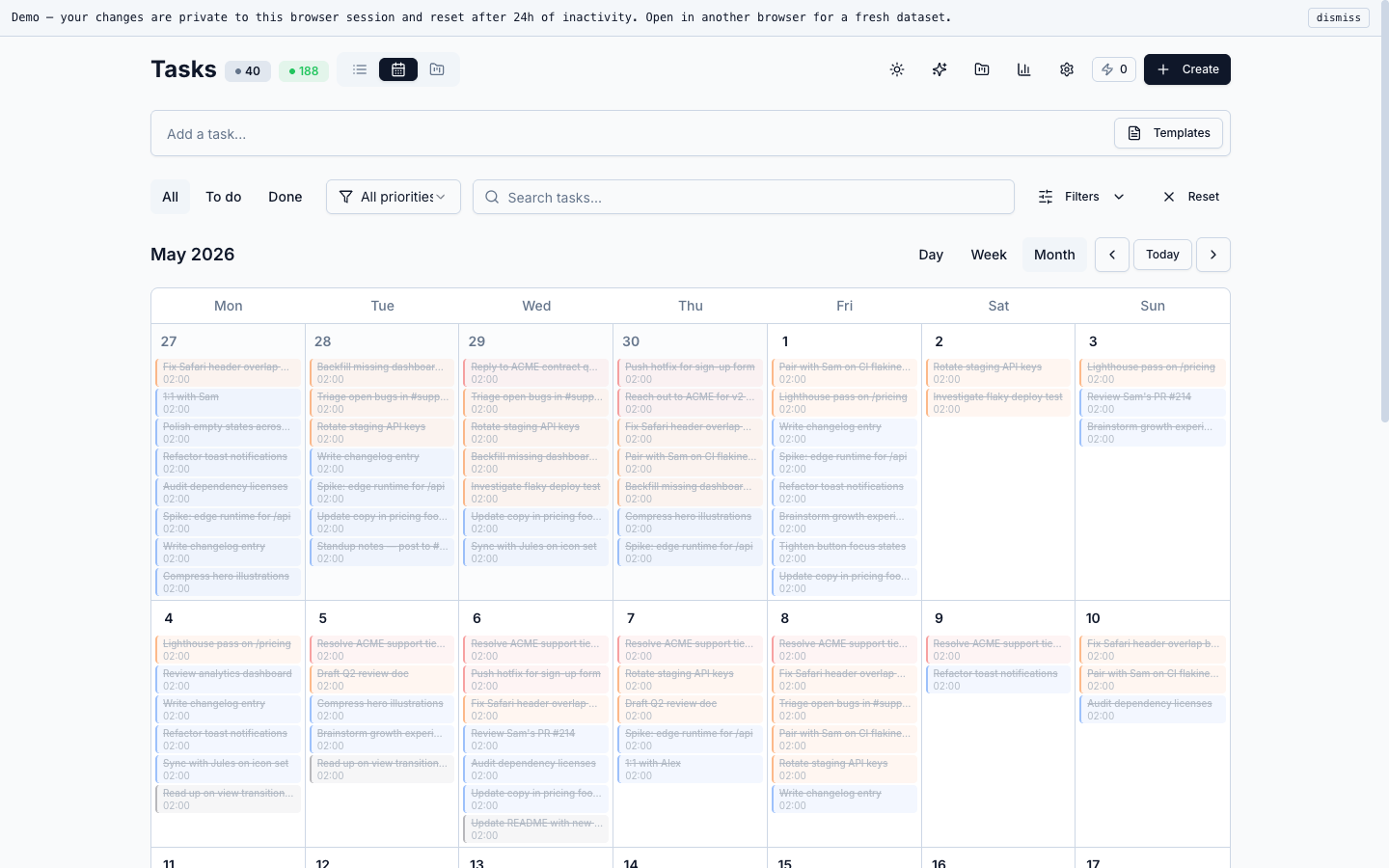
Same database, different layout. One tap from list or kanban into a full monthly grid with task dots per day. Weekends dimmed, today highlighted, no special calendar model behind it.
Works at a 1440-wide desktop and stacks down at narrower widths — same component, same data, the only thing that changes is the grid cell size.
Editing a task is one form, not a 200-prop modal soup
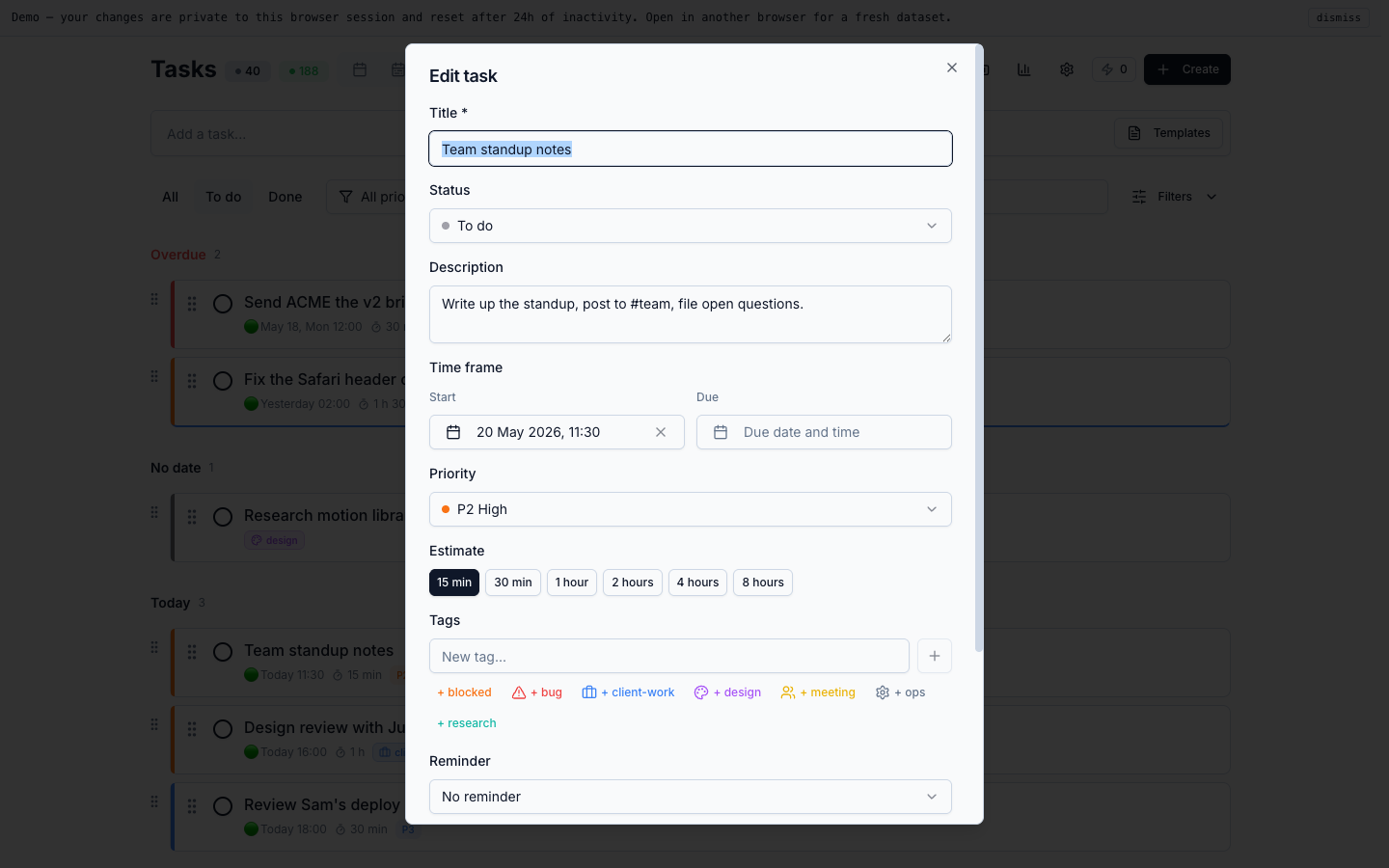
Title, status, description, start/due time-frame, priority, estimate chips, tags with quick-add, reminder, recurrence, links — all visible on the same form. No nested tabs hiding the field you came in to change.
Saved with ⌘-Enter. The tag picker has inline new-tag creation for the common ones — + blocked, + bug, + client-work — without leaving the form.
Recurrence rules without writing iCal by hand
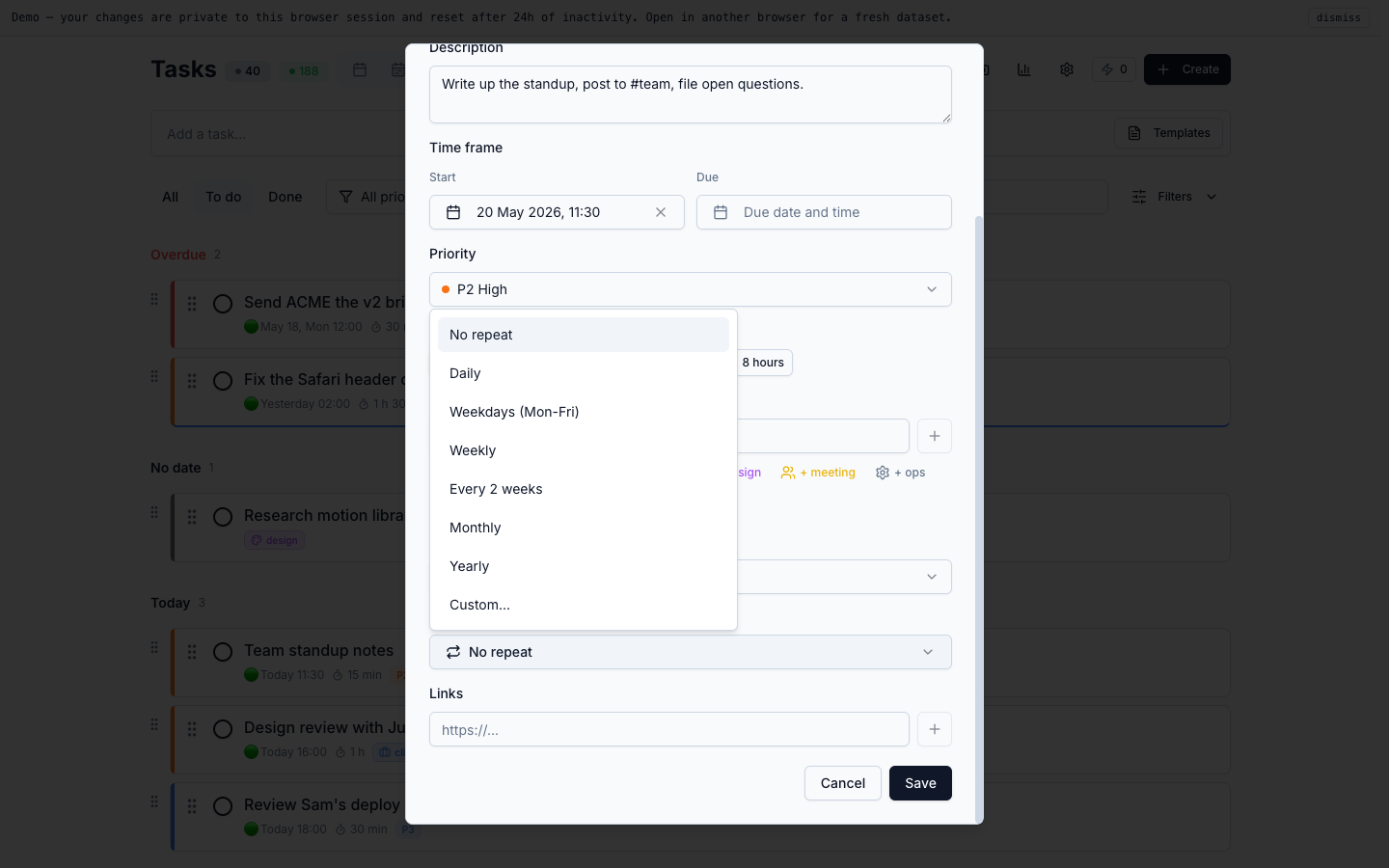
Presets cover the cases people actually use: Daily, Weekdays (Mon-Fri), Weekly, Every 2 weeks, Monthly, Yearly. Custom is there for the "second Tuesday of the month" tail, not as the first thing you see.
The model: one recurrence template, many materialized task instances. A cron worker materializes upcoming instances behind a Postgres advisory lock so the same slot never gets two tasks even under retries.
Side panel for everything you don’t need to edit, just read
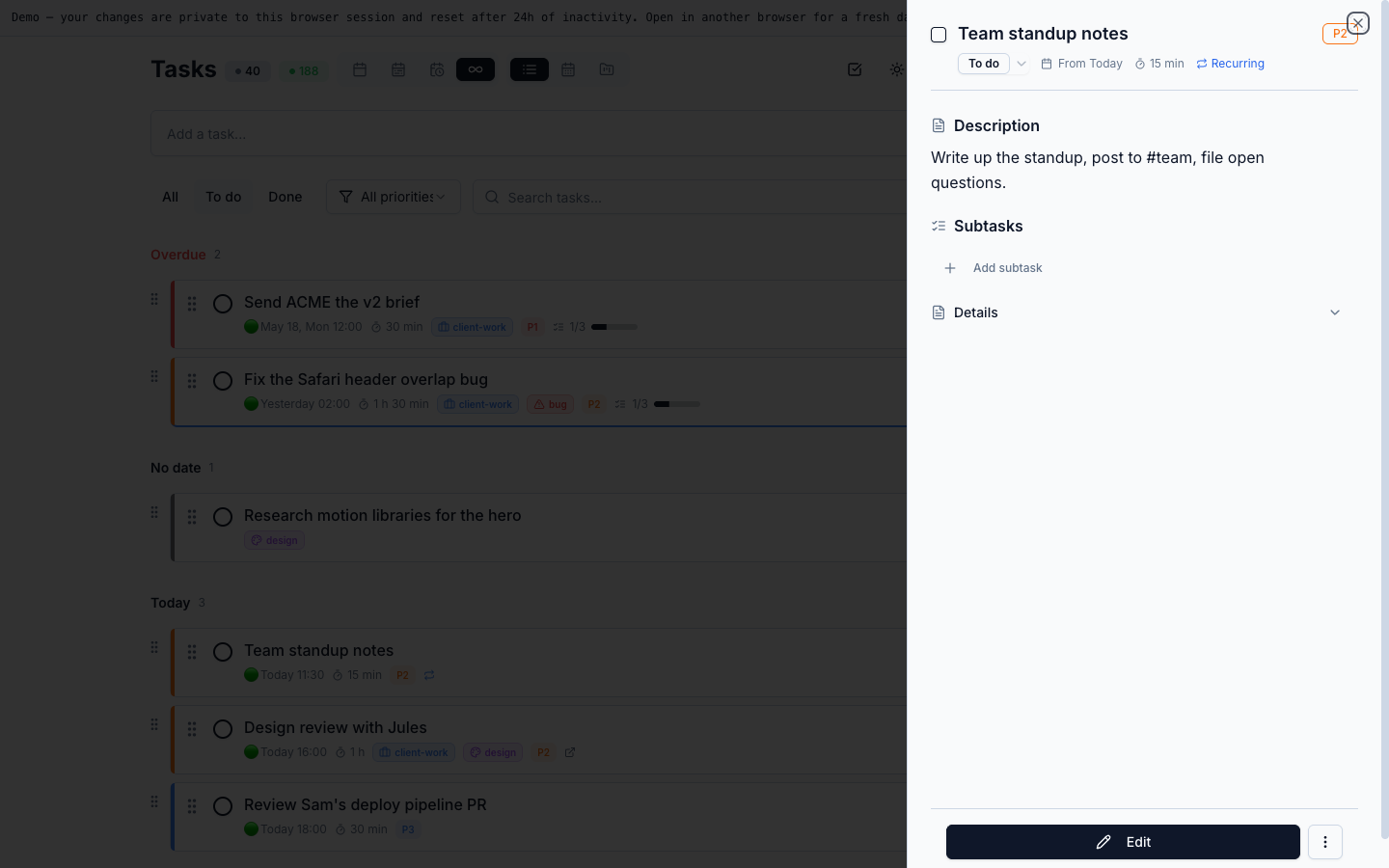
Click a task and a panel slides in from the right with status pill, time-frame, recurring chip, description, subtasks and details. The board stays behind it, so context isn't lost.
Esc closes. Edit lives inside the panel; you don't leave the board to read what a task is about, or to tick a subtask off while you're there.
Notion-style pages in the same workspace, no second tab
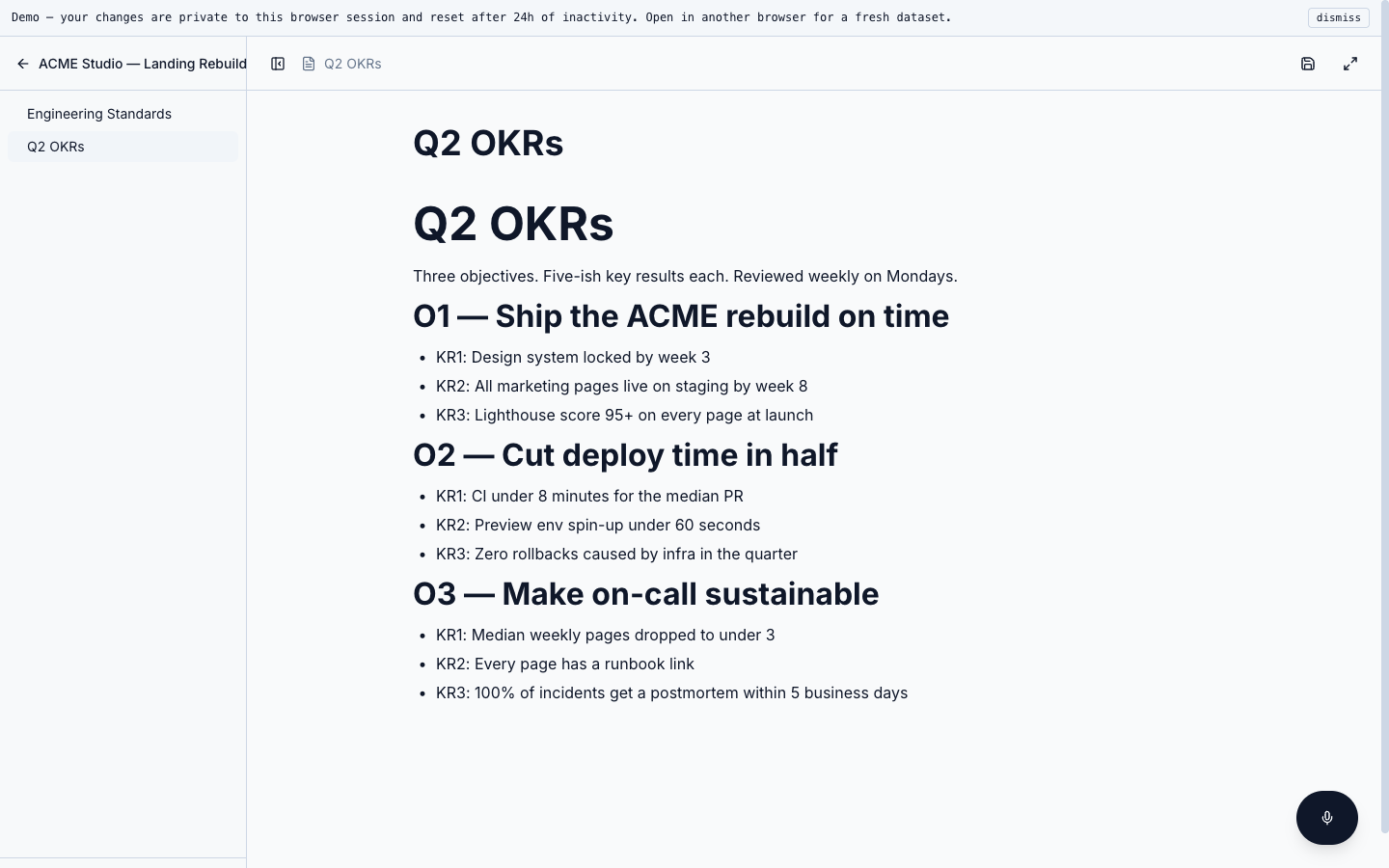
BlockNote runs inside the same app — headings, lists, checklists, code blocks. Content lives as JSON blocks in a Prisma Json column on Postgres, no separate CMS.
Pages sit next to projects in the sidebar and can be linked from any task description, so the recurring "weekly review" task always opens the same page with last week's notes already there.
Projects as workspaces, not labels
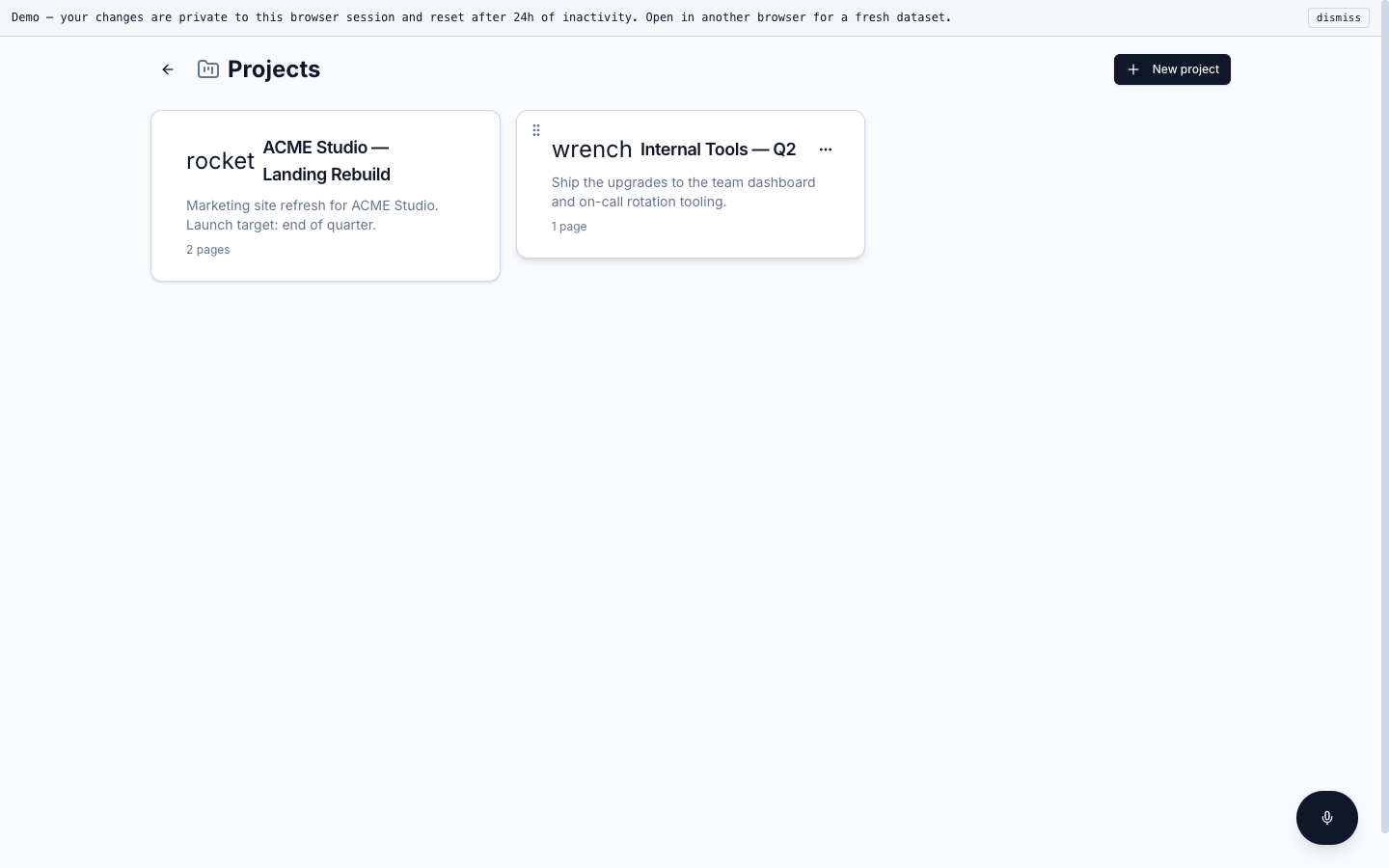
Each project has its own board, its own pages, its own recurrence templates. The switcher is keyboard-first (⌘K), and the URL carries the project slug so context survives a reload or a deep link.
No teams matrix, no permission tiers. A single owner is enough for the audience this is built for, and the schema stays an order of magnitude simpler because of it.
Habits, streaks, and a weekly progress bar that actually moves
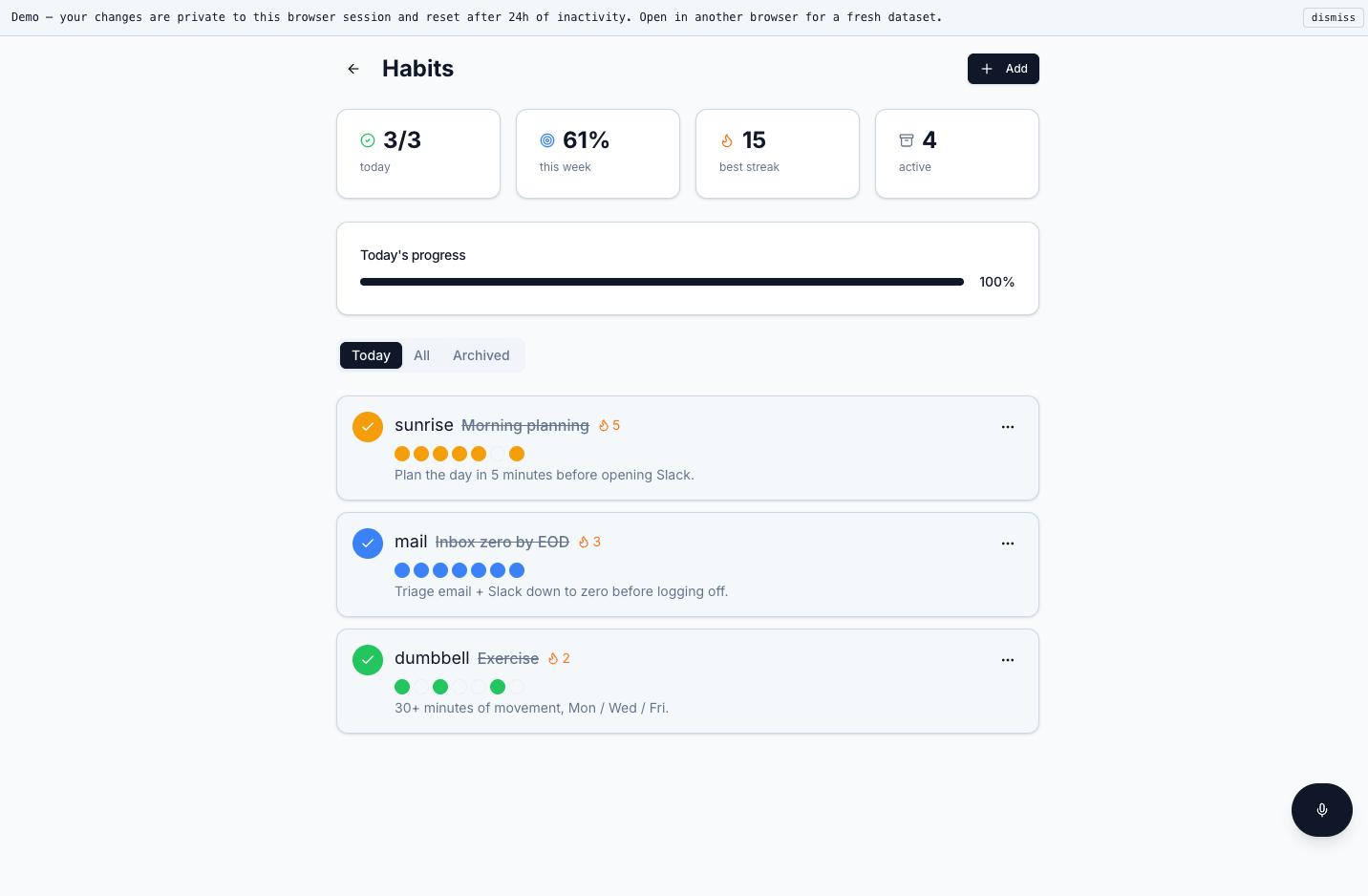
Habits are a separate model from tasks — different cadences (daily, weekdays only, M/W/F), different completion semantics, an explicit current-vs-best streak counter so missing a day stings just enough to come back.
A weekly progress bar shows the run-rate at a glance, and karma from habits flows back into the same level system the stats page reports on.
A stats page I actually open — not a graveyard tab
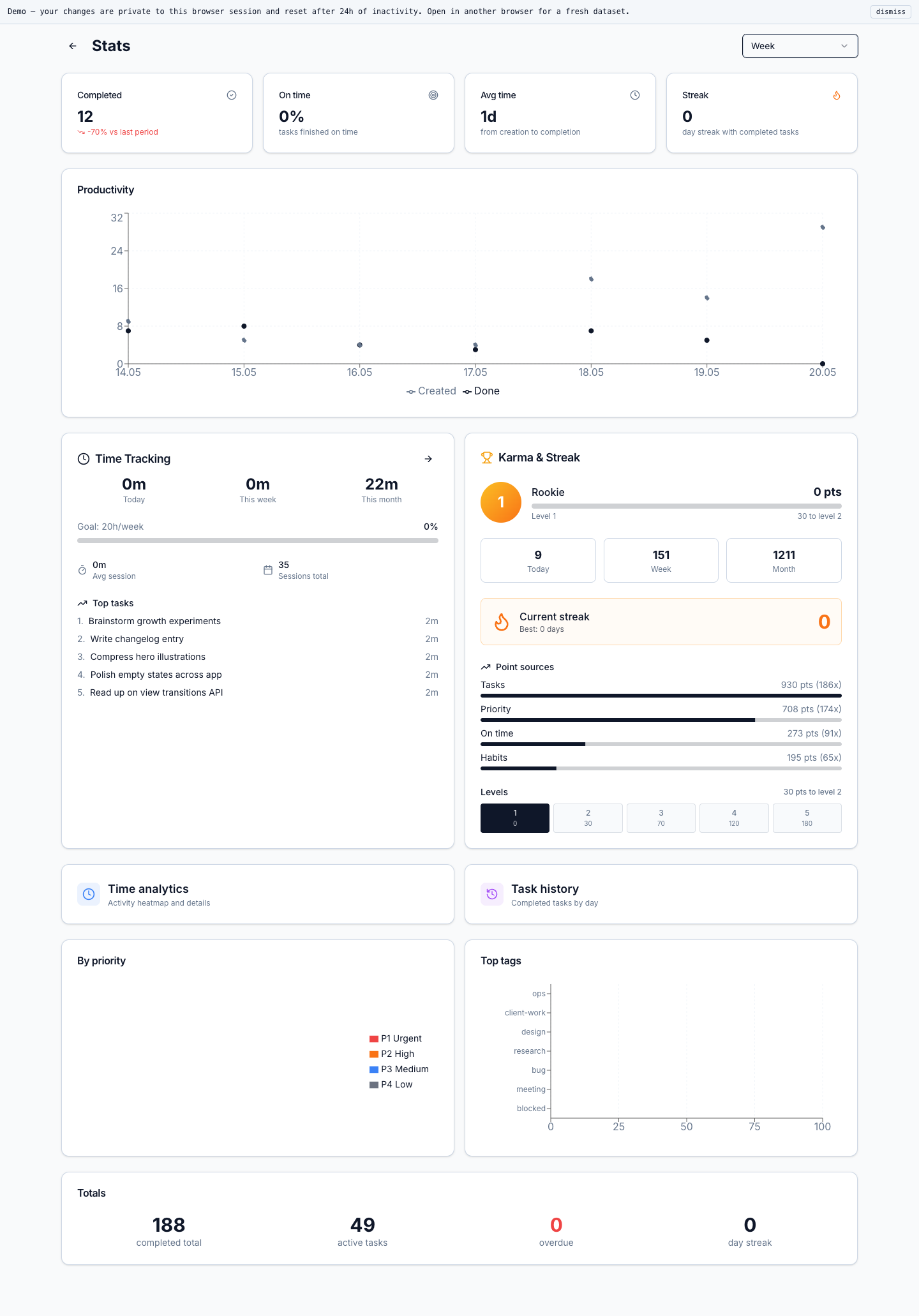
Productivity over time (created vs. done), karma + streak with point sources (Tasks, Priority, On time, Habits), time tracking against a weekly goal, top tasks by minutes, top tags as a bar. Week / Month / Year selector at the top.
The chart layer is one component shared across views, so adding a new aggregate is a Prisma group-by plus a chart prop. No BI tool, no separate warehouse.
Sixteen themes is a flex; the rest of the settings page is the point
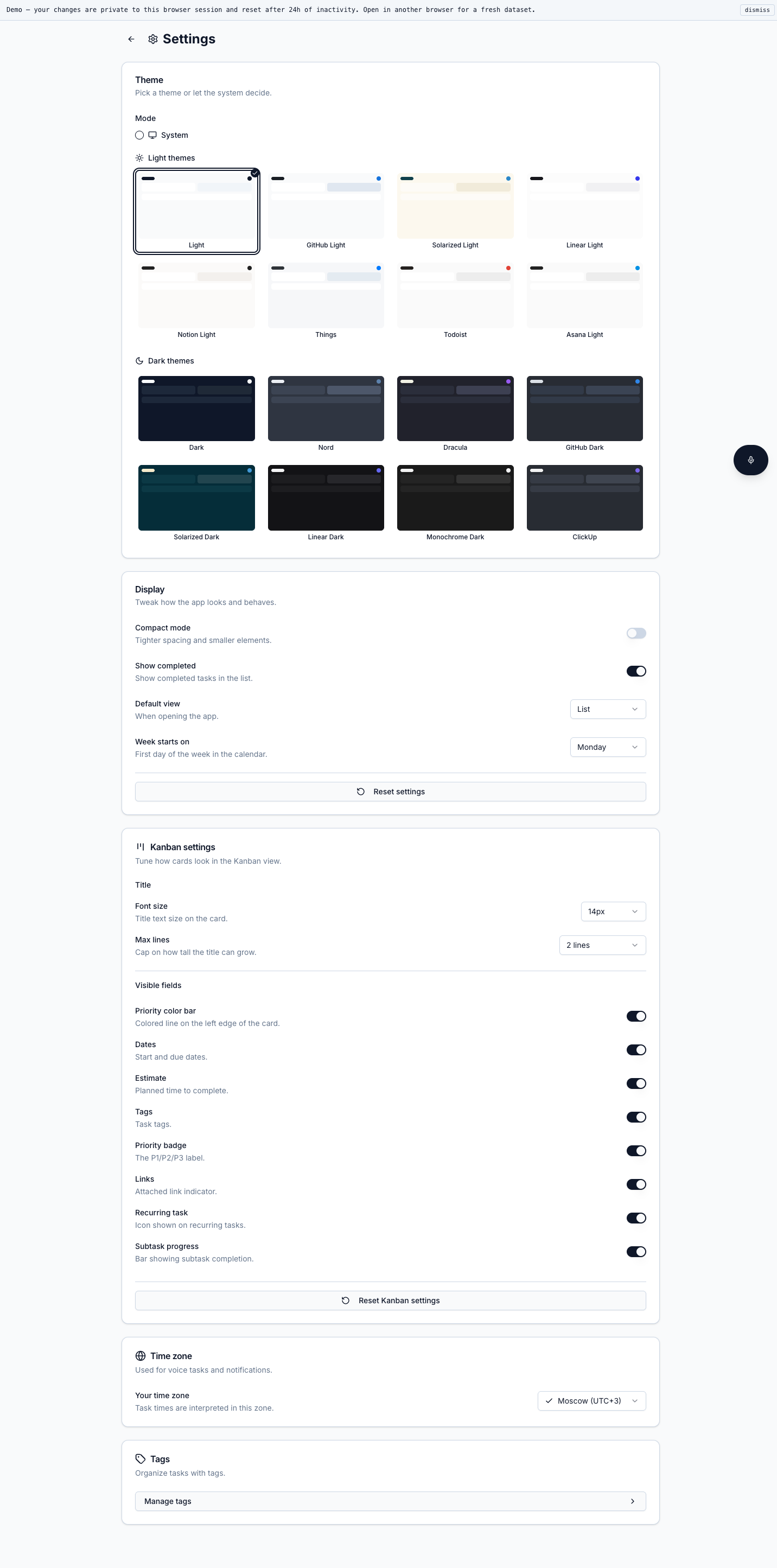
Eight light themes, eight dark, plus "system". Compact mode, show-completed toggle, default view, week-start day. Kanban field visibility is per-field — turn off everything except title and the priority colour bar if you want a stripped board.
Time zone is a real Intl zone, not a string, so recurrence rules and reminders use it directly. Everything is stored per session in the demo and per user in production.
Tags and templates as first-class models
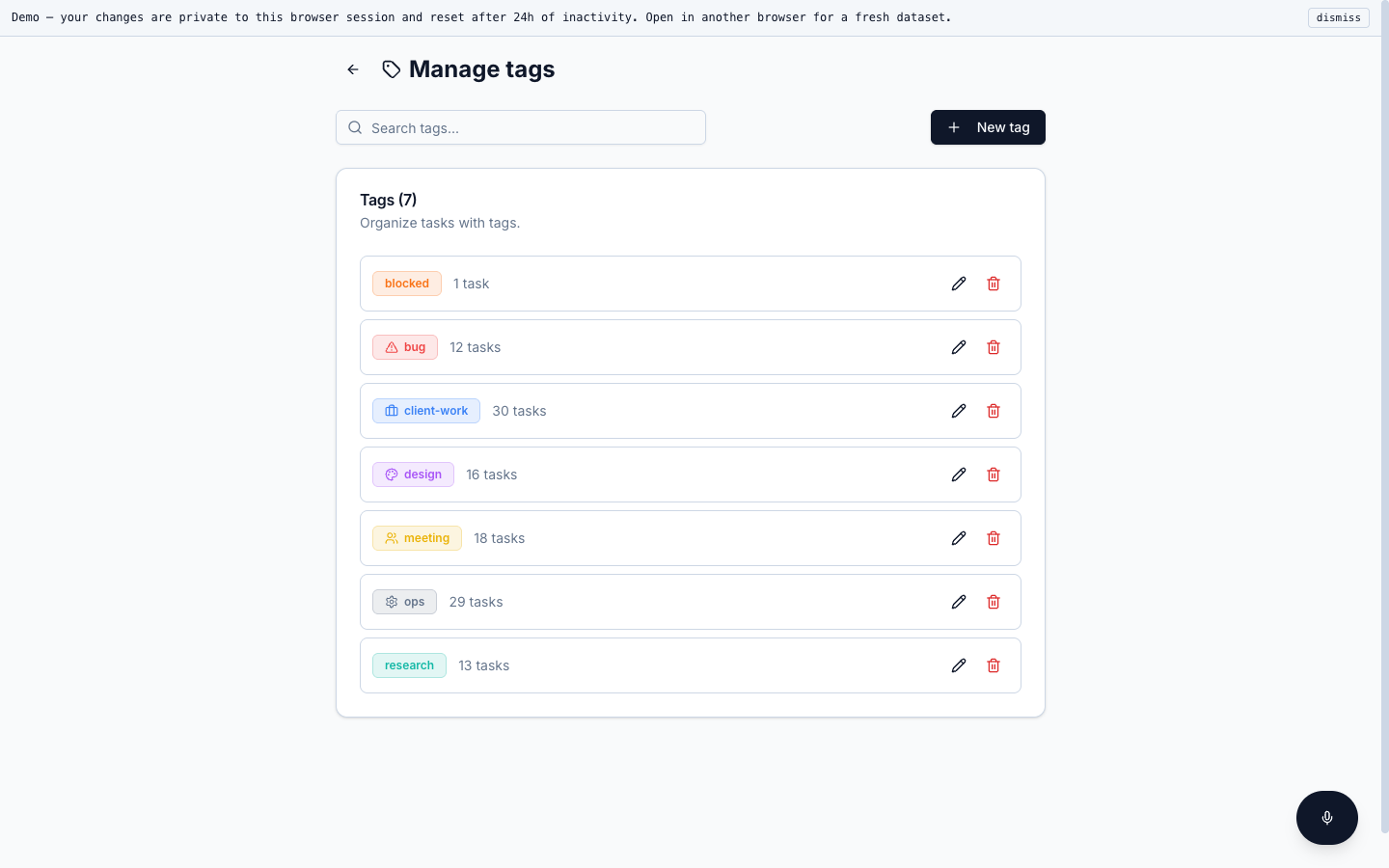
Tags carry colour and icon, track task counts live and survive renames without a write per task — a real many-to-many through a join table. Compound uniqueness is per-session in the demo and per-user in production.
Templates sit next to tags: reusable task shapes — "Bug triage", "Client status update", "Weekly retro" — with usage counts and a one-click create from the board.
A small drag interaction, right here on the page
This is a stripped-down version of the same drag interaction the real app uses. Local state, no backend, four pre-loaded cards. Drag a card between columns.
The full product — projects, pages, recurrence, notifications — is on the demo subdomain. Open the demo →
How it was built
Prisma over Drizzle was a deliberate trade. The schema has 15 models with a lot of cascade rules around recurrence templates and Telegram subscriptions; Prisma's migration tooling made that less painful than rolling my own. The cost is the heavier client at runtime, which is fine on a single-tenant VPS.
Mantine 8 instead of shadcn was a domain choice. The product lives inside the UI — modals, popovers, the date picker get a lot of use — so a batteries-included library saved weeks. The marketing site you're reading is shadcn + Tailwind because that's a different shape of work.
BlockNote was picked over Lexical because the data model is already JSON blocks I can persist verbatim to a Prisma Json column. Pages and tasks share the same workspace, so the editor needed to feel light enough to open in a side panel without a route change.
The hard parts were the unglamorous ones. Cron under PM2 cluster mode fires once per worker by default, so the recurrence dispatcher needed a Postgres advisory lock. Web push subscriptions silently rotate; I keep a lastSeenAton each subscription and drop dead ones nightly. And the Telegram bot uses long polling in dev, webhook in prod, with a single shared command handler so I don't have two code paths to keep in sync.
Tests are Vitest, focused on the business logic — recurrence expansion, notification dispatch decisions, session scoping. No E2E in this codebase yet; the surface area is small enough that manual smoke tests still pay off.
What's not in the demo
Production has integrations that need real credentials and real users. The demo strips those down so visitors can poke around without me handing out tokens. Here's the diff.
The demo is the pitch
Open it in a new tab, create a few tasks, drag them around, open a page. Your changes are private to your session and reset after a day of inactivity. If anything you see looks like the shape of your problem, send me a brief.